
Free on iPhone and iPad

Poker with friends. No internet.

Texas Hold'em for friends in the same room, each on their own iPhone or iPad. One phone hosts, everyone else taps Join. No Wi-Fi network, cards or chips needed.

Download Local Poker on the App Store
  • No ads
  • No accounts
  • Works in airplane mode
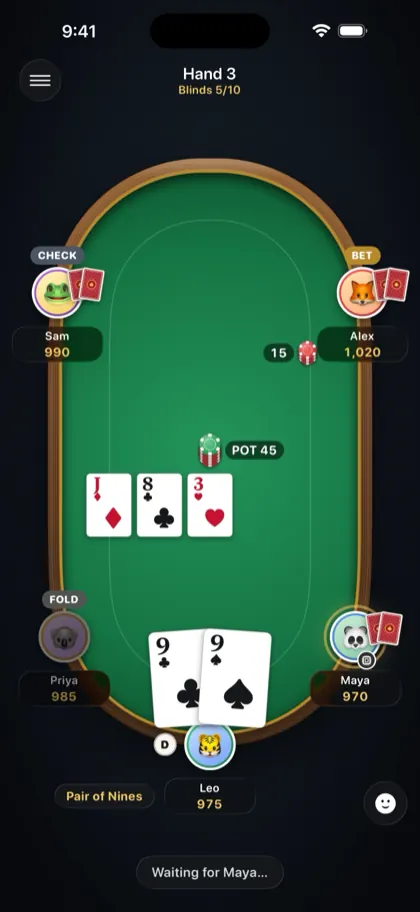
Leo's iPhone showing the same hand from Leo's seat
Leo
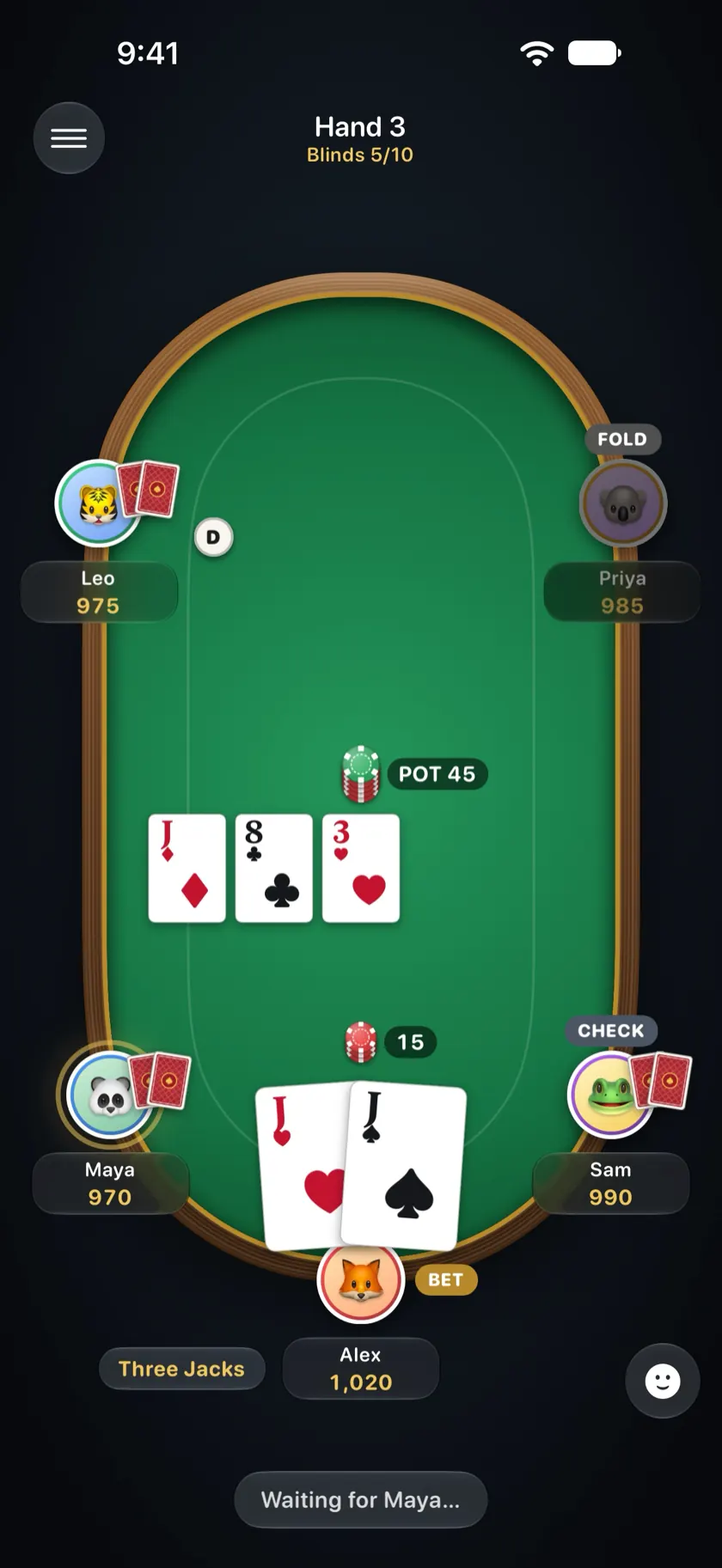
Local Poker table on Alex's iPhone: five players, the flop and Alex holding three jacks
Alex
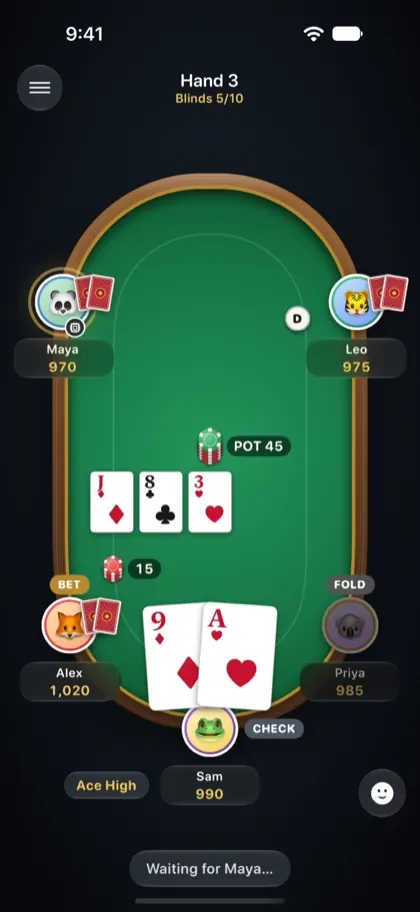
Sam's iPhone showing the same hand from Sam's seat
Sam

How it works

A table in under a minute

Local Poker is a free app for playing No-Limit Texas Hold'em with 2 to 8 people in the same place. One iPhone or iPad hosts the table and the others connect to it directly, phone to phone, so you can play with no internet at all.

  1. One phone hosts

    Tap Host a Table and pick the starting chips, the blinds and an optional password.

  2. Friends tap Join

    Tables nearby show up under Join a Table. One tap and they're seated. No accounts, no sign-up.

  3. Deal

    The app shuffles, deals, takes the blinds and splits the pot. Your cards only ever show on your own screen.

Works in airplane mode. Keep Wi-Fi and Bluetooth switched on and the phones talk to each other directly, with no router and no signal. Everyone installs the app before you go, because downloading it needs internet.

Friends join in seconds

One phone hosts, friends tap Join. No accounts, no sign-up.

Open tables nearby show up on the Join screen by themselves, so nobody types an address or a code. Add a password if you want the table to yourselves. Your name and photo are remembered, so next time it's one tap.
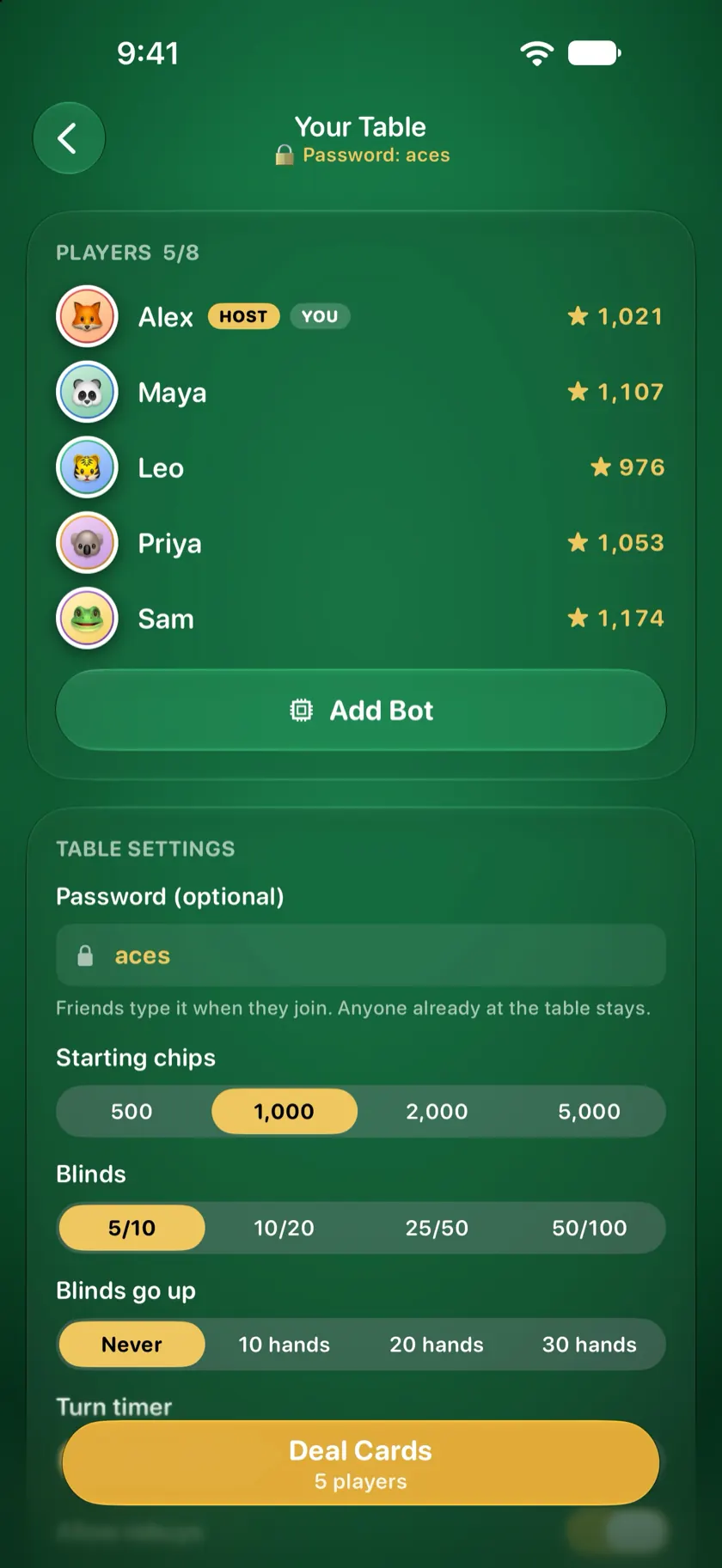
The host's lobby with five players seated and the table settings

Short a player? Add a bot

Every bot plays its own way. Some bluff, some play it safe.

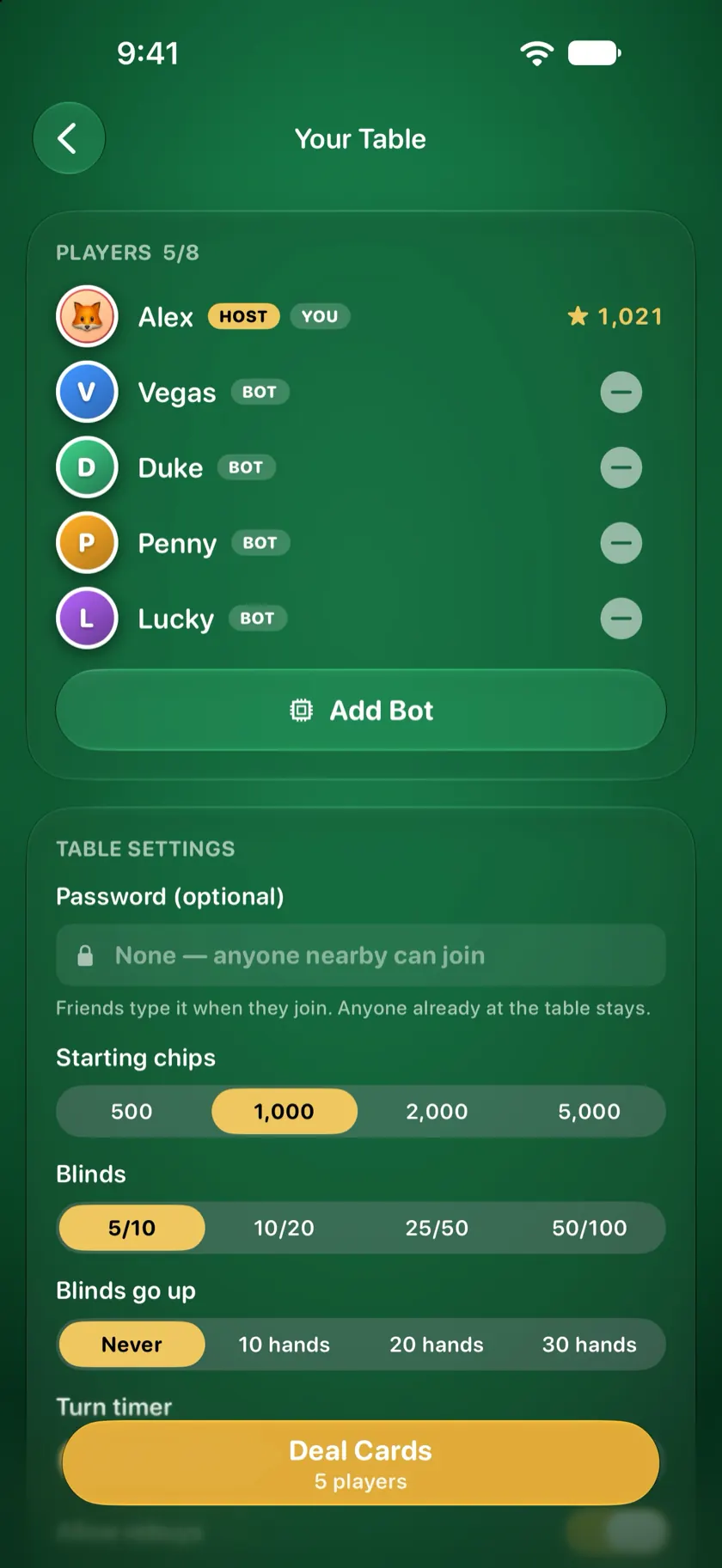
Fill empty seats with up to seven bots, or practice against them on your own. There are eight to choose from: Vegas loves to bluff, Duke plays by the book, Penny folds under pressure, and a couple of them tilt after a bad beat. They send emoji too.

The lobby with bots Vegas, Duke, Penny and Lucky seated next to the host

See who wins most

Ratings and stats for everyone you play with.

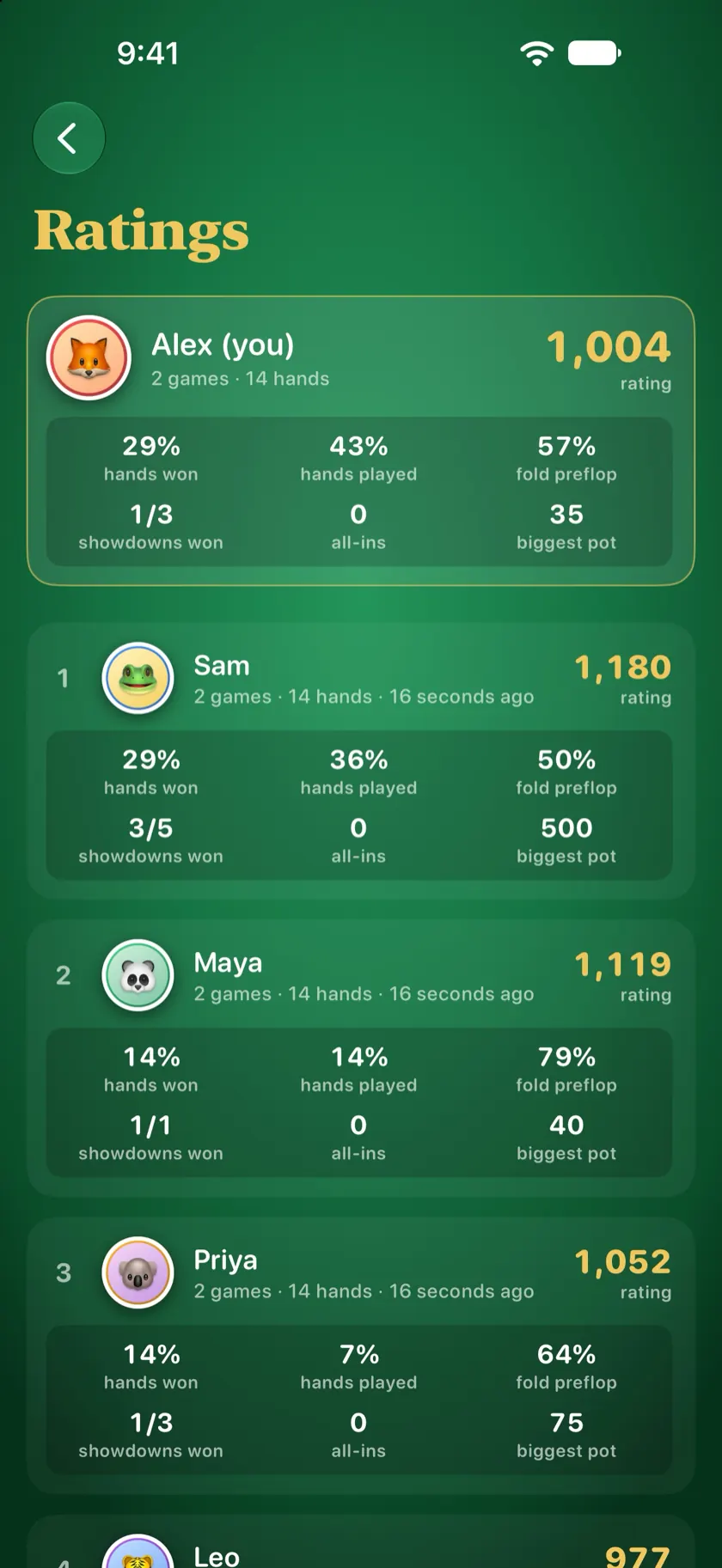
Every hand moves each player's rating up or down. Stats show hands won, how often you fold before the flop, showdowns won and your biggest pot. Ratings live on your phone and in your iCloud, so they move with you to a new phone.

The Ratings screen with each player's rating, hands won and biggest pot

Throw emoji at friends

Tap a player and pick one. Bluffed? Show your cards.

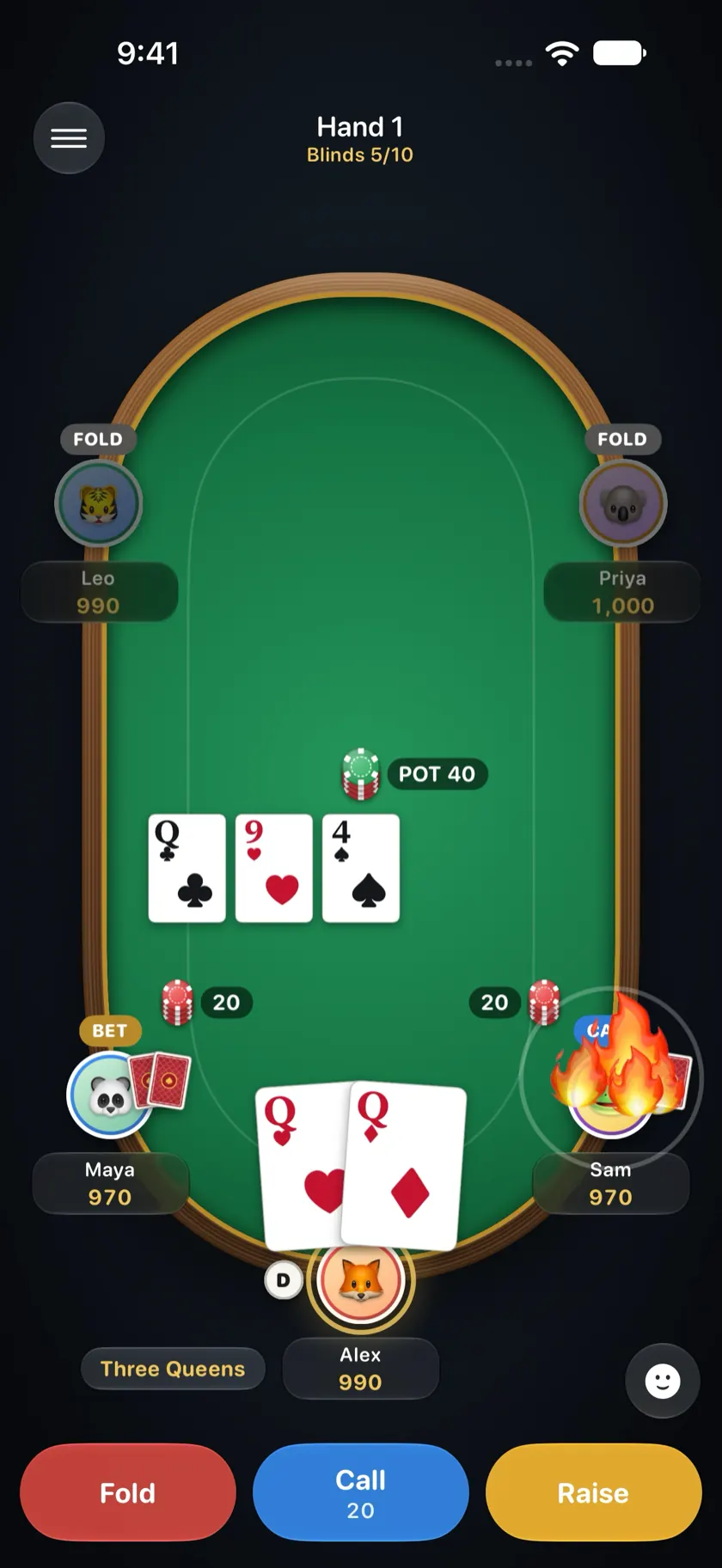
Send a 🔥, 🤡 or 😂 flying across the table at anyone. Won the pot with nothing? Show your cards to everyone once the hand is over. Add a photo and friends see your face on your seat.

A fire emoji landing on Sam's seat at the poker table

See your odds live

When players go all-in, win chances update with every card.

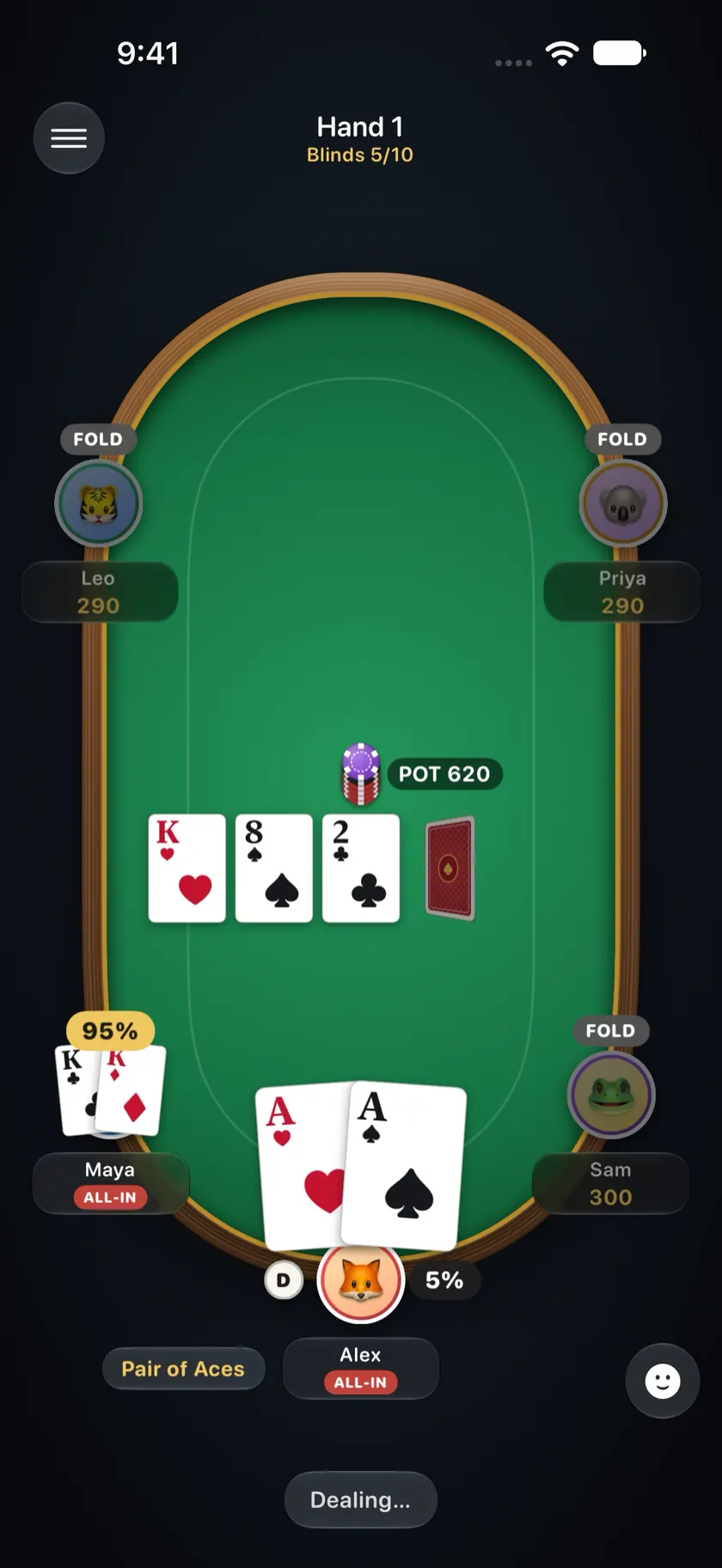
Once the chips are in, everyone sees each player's chance to win, recalculated on the flop, the turn and the river. Pocket aces start as an 82% favorite against kings, and one king on the flop flips it to 95% for the kings. The app also names your hand, like "Three Jacks", so new players always know where they stand.

An all-in after the flop with each player's win chance on their seat

Everything a dealer does

The app runs the game

No chips to count, no side pots to work out, no arguing about whose turn it is. The host's phone handles all of it.

  • Shuffles and deals

    Only the host's phone knows the deck. Each player sees just their own two cards.

  • Blinds and side pots

    Posts the blinds, handles all-ins and splits side pots down to the last chip.

  • 2 to 8 players

    Any mix of friends and bots. iPhones and iPads, portrait or landscape, at the same table.

  • Chips and blinds your way

    Start with 500 to 5,000 chips, with blinds from 5/10 up to 50/100.

  • Rising blinds

    Keep the blinds fixed, or raise them every 10, 20 or 30 hands.

  • Turn timer

    Off, 30 or 60 seconds, for the friend who takes forever.

  • Rebuys

    Let busted players buy back in, or play down to the last chip.

  • Pause and resume

    If a screen locks, that player reconnects. The game is saved, so you can finish it another day with everyone's chips.

  • Password tables

    Keep a table to yourselves when other people nearby have the app.

  • Names your hand

    "Pair of Nines", "Three Jacks". Nobody has to ask what beats what.

  • Six card decks

    Classic, Great Wave, Midnight, Starry Night, Primary and Alhambra.

  • Nearby table alerts

    Turn on the bell and get a heads-up when a friend you've played with opens a table nearby. Over Bluetooth, no internet.

Anywhere you're together

No signal? Deal anyway.

Local Poker never needs the internet during a game, so it works wherever you are: in the living room, underground or 35,000 feet up.

  • At home
  • On the subway
  • On a plane
  • Camping
  • At the cabin
  • On a road trip
  • In a hotel room
  • At the beach
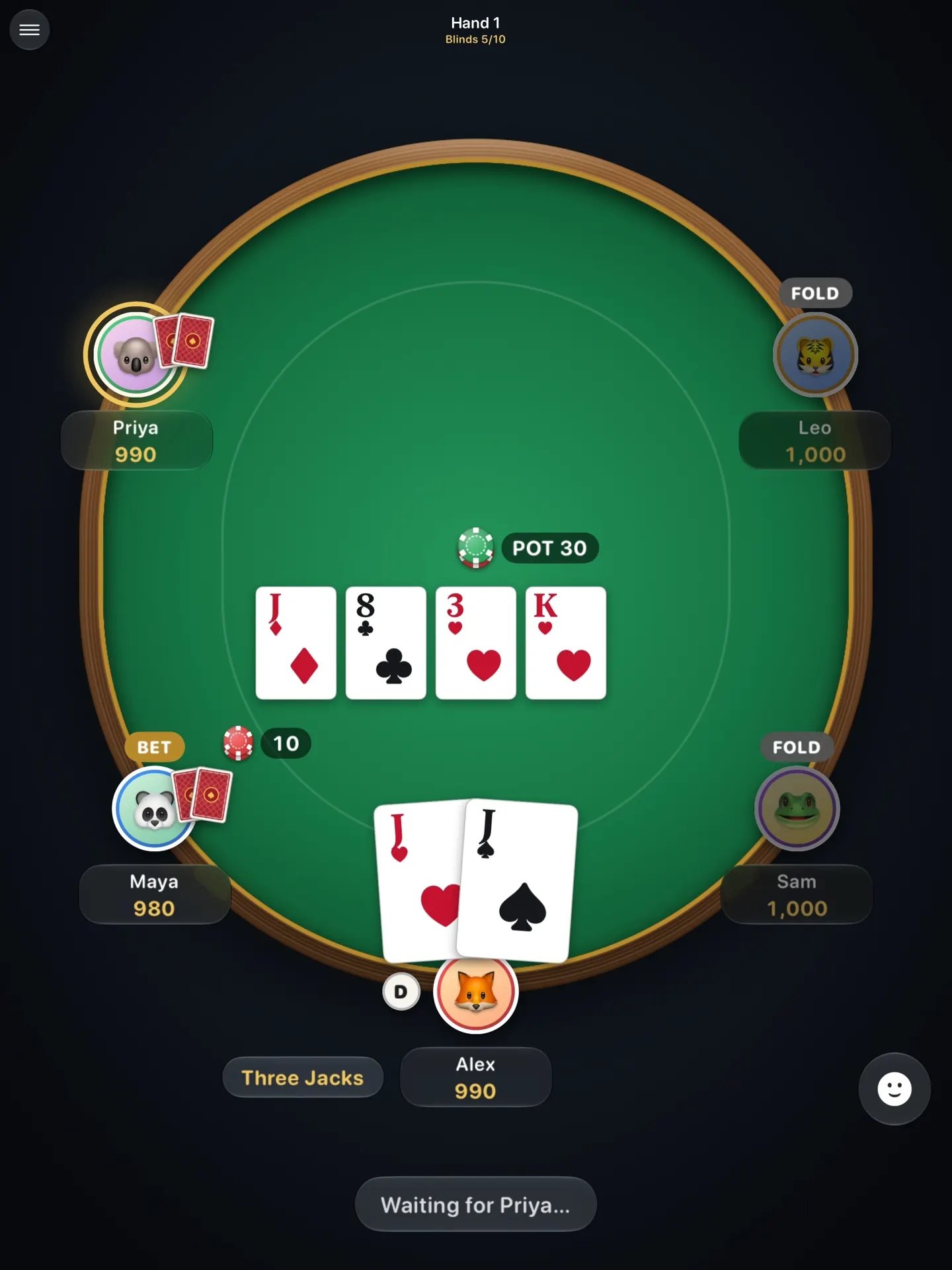
Local Poker on iPad: the full table with five players and the flop

How it compares

Three ways to play Texas Hold'em with friends.

Local Poker compared with a deck of cards and chips, and with online poker apps
Feature Local Poker Cards and chips Online poker apps
Works with no internet✓✓✕
Nothing to carry✓✕✓
Deals and counts chips for you✓✕✓
Built for people in the same room✓✓✕Mostly strangers online
No account needed✓✓✕Usually a sign‑up
Live win odds on all-ins✓✕Some
CostFreeA set costs moneyFree with ads or purchases

Questions

Does Local Poker need internet or Wi-Fi?

It doesn't need internet. Wi-Fi and Bluetooth have to be switched on, but you don't need to be connected to a network: the phones connect to each other directly. If everyone is on the same Wi-Fi network, that works too.

Can we play poker on a plane?

Yes. Turn on airplane mode, then switch Wi-Fi and Bluetooth back on. One person hosts and the others join. Install the app before the flight, because downloading it needs internet. More tips in how to play poker without internet.

How many people can play?

2 to 8 players per table. Bots can fill empty seats, so you can also play with just two people, or alone against bots.

Does everyone need the app?

Yes. Each player uses their own iPhone or iPad with Local Poker installed. The app is free.

Is Local Poker free?

Yes. There are no ads, no in-app purchases and no accounts.

Is it real-money gambling?

No. Everyone plays with play chips that have no cash value. There is nothing to buy and nothing to win except bragging rights.

Is there an Android version?

Not yet. Local Poker runs on iPhone and iPad with iOS 26 or later, and iPhones and iPads can play at the same table.

What happens if someone's phone locks?

They open the app again and reconnect. Until then they sit out as away. The host's phone also saves the game: next time the host taps Host a Table, the app offers to resume it with everyone's chips.

Which poker game does it play?

No-Limit Texas Hold'em. The host picks the starting chips (500 to 5,000), the blinds (5/10 to 50/100), whether blinds go up every 10, 20 or 30 hands, a turn timer of 30 or 60 seconds, and whether rebuys are allowed. New to the game? Read how to play Texas Hold'em and the hand rankings.

Does Local Poker collect my data?

No. There are no accounts, no tracking and no ads. Your name, photo and ratings stay on your device and in your own iCloud, and are shared only with the players at your table. See the privacy policy.

Deal the first hand

Free on iPhone and iPad. Get everyone to install it before you lose signal.

Download Local Poker on the App Store
  • No ads
  • No accounts
  • Requires iOS 26